SOS Sidekick User Manual
Learn How to Use the SOS Sidekick here.
Meet the SOS Sidekick
Powered by invisaWear x Safely
The SOS Sidekick powered by invisaWear x Safely combines the everyday safety features of the Safely Sidekick with SOS technology powered by invisaWear. This device was designed to help you feel more confident, prepared, and in control in your everyday life.
Please read this manual carefully before using your SOS Sidekick. This manual includes important setup instructions, safety information, care guidelines, troubleshooting support, and legal information.
For a more visual step-by-step guide, visit our How to Use Your SOS Sidekick page.
Table of Contents
For your safety, please review the contents outlined in this manual:
- Getting Started
- Device Overview
- Understanding the Two Buttons
- SOS Feature Powered by invisaWear
- Safety Instructions
- How to Use the SOS Sidekick
- Maintenance and Care
- Troubleshooting
- Warranty, Returns, and Support
- Legal and Compliance Information
Getting Started
To unbox your SOS Sidekick, start by carefully cutting or tearing any tape or seals on the box, taking care not to damage the contents. Gently remove any protective materials like foam or plastic that are securing the item in place.
Carefully lift out the main item and handle it with clean hands to avoid dirt or oils. Check for any additional accessories or components that might be included, and refer to this user manual for important setup and safety information.
Inspect the item and all components to ensure everything is present and undamaged. If anything is missing or damaged, contact Safely for assistance. Finally, recycle or dispose of the packaging materials responsibly.
Once the device has been removed from the box, ensure all components are correctly attached and working as outlined below:
- Pepper Spray: The pepper spray should be inserted into the device with the nozzle facing forward, aligned with the arrow on the top of the grip. With the nozzle facing away from you, the safety lock should be engaged by positioning it to the far left. This ensures the spray is ready to use and will fire away from you.
- Grip: The grip should be positioned with the bottom of the grip touching the top of the flashlight. The grip is locked in place when the pepper spray is inserted into the device.
- Keychain: The keychain should be tightly secured onto the device and screwed all the way on.
- Pull-pin: The pull pin should be completely inserted into the device with the wrist strap attached. You can pull the pull-pin to test that the alarm sounds.
- Button: The button is located on the back of the device. Click the button once to turn the flashlight on and off. Double click the button to activate the “strobe” blinking flashlight, and click once to turn it off.
- Additional Grips or Attachments: If you purchased additional grips or attachments, see the how to use section for more information.
The SOS Sidekick features an extended battery life lasting multiple hours of continuous flashlight use, and it's rechargeable for added convenience. To charge the device, insert a micro USB into the port on the back of the device and plug into power.
When clicking the button on the back of the device, the color of the light will indicate the battery level:
- Green or Blue: 90% or more
- Yellow: From 89% to 20%
- Red: 20% or less
- Blinking Red: 30 minutes of battery life remaining
If your device is not showing a light, we recommend putting it on the charger for a few minutes until the light comes on.
Once you remove the charger, place the charger cover back into the port.
If any features are not working as outlined above, please contact Safely.
Device Overview
The SOS Sidekick includes multiple safety features in one handheld device.
Features
SOS Button Powered by invisaWear
The SOS button connects through the invisaWear app and requires an active invisaWear safety plan. Depending on your plan and settings, SOS activation may notify emergency contacts, share your location, and connect to emergency support features.
Pepper Spray or Practice Spray Compatibility
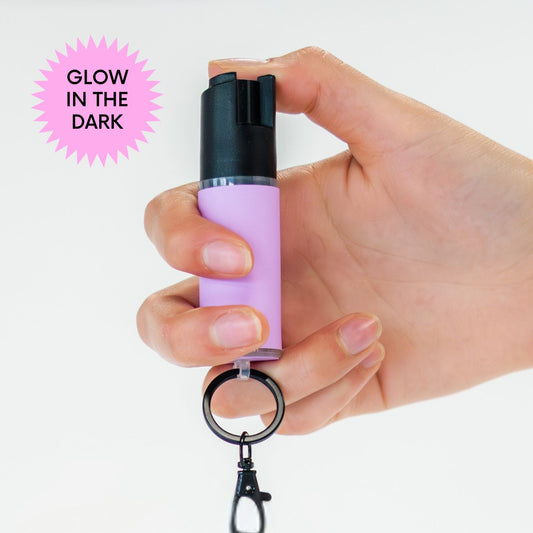
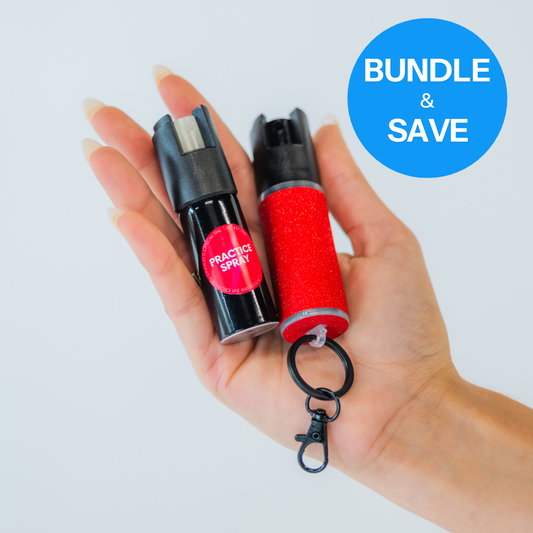
Your SOS Sidekick is compatible with Safely pepper spray and Safely practice spray inserts. Practice spray is filled with water and is designed for safe training.
Flashlight
The built-in flashlight provides added visibility and includes a steady light mode and strobe mode.
Alarm
The built-in alarm is activated by removing the pull-pin. When activated, the alarm sounds and the flashlight strobes.
Grip
Your device may include either a strap grip or knux grip, depending on the variant selected.
Attachment
Your device may include a keychain or safety spike attachment, depending on the variant selected.
SOS Feature Powered by invisaWear
The SOS feature is powered by invisaWear and must be set up through the invisaWear app before use.
App Setup
To set up the SOS feature:
- Download the invisaWear app from the Apple App Store or Google Play Store.
- Create an invisaWear account or log into an existing account.
- Follow the in-app instructions to pair your SOS Sidekick.
- Select and activate your invisaWear safety plan.
- Add your emergency contacts.
- Enable required permissions, including Bluetooth, location services, and notifications if prompted.
- Follow the app’s instructions to confirm your device is connected properly.
Safety Plan Required
The SOS feature requires an active invisaWear safety plan.
Without an active plan, the SOS button will not trigger emergency alerts, emergency contact notifications, location sharing, or emergency support features.
The flashlight, alarm, pepper spray, practice spray, grip, and attachment features can still be used separately from the SOS feature.
How SOS Works
Depending on your invisaWear plan, app settings, and account setup, activating the SOS button may:
- Notify your selected emergency contacts
- Share your location
- Connect with emergency support features
- Provide access to ADT-assisted support, if included in your plan
SOS features are managed through invisaWear. Please refer to the invisaWear app for the most current instructions, plan details, activation method, testing process, and emergency response information.
Important SOS Notes
For SOS features to work as intended, you may need:
- A compatible smartphone
- The invisaWear app installed
- An active invisaWear account
- An active safety plan
- Bluetooth enabled
- Location services enabled
- Notifications enabled
- Cellular or internet connection
- Sufficient phone battery
- Current emergency contact information
Safety Instructions
The SOS Sidekick is intended for users who are at least 18 years old.
You are responsible for understanding and complying with all applicable laws, rules, and regulations related to purchasing, carrying, possessing, and using this product.
Keep the device, pepper spray, safety spike, and all small parts out of reach of children and pets.
General Safety
Before using your SOS Sidekick:
- Read this manual fully.
- Practice with the device in a safe environment.
- Use Safely Practice Spray before carrying pepper spray, especially if you are new to pepper spray.
- Check your device regularly for damage, loose parts, or low battery.
- Do not modify, disassemble, or alter the device.
- Do not use damaged components.
- Store the device in a cool, dry place.
- Avoid exposing the device to water, moisture, extreme heat, or open flame.
Pepper Spray Safety
Always handle pepper spray carefully.
When not in use, the pepper spray should remain in the locked position. With the nozzle facing away from you, the safety lock should be engaged by positioning it to the far left side of the canister.
Always make sure the nozzle is facing forward and away from your face and body.
Never test pepper spray indoors.
Never point pepper spray at yourself, another person, or an animal unless you are using it lawfully for self-defense.
Be aware of wind direction when using pepper spray outdoors.
Do not store pepper spray in extreme heat, including inside a hot car.
Check the expiration date regularly and replace the canister before it expires.
Pepper spray laws vary by state, city, venue, school, workplace, and other jurisdictions. It is your responsibility to understand and follow applicable laws before purchasing, carrying, or using pepper spray.
Practice Spray Safety
Practice Spray is filled with water and is designed for safe training.
Use Practice Spray outdoors or in an open area where water spray will not damage belongings or surfaces.
Do not aim Practice Spray at anyone’s face.
Use Practice Spray to build familiarity with the spray direction, grip, safety lock, and activation motion.
Flashlight Safety
Avoid shining the flashlight directly into anyone’s eyes.
The flashlight is not waterproof. Avoid exposing the device to water, heavy rain, or moisture.
Do not expose the flashlight area to extreme heat, open flames, or harsh conditions.
Store the device in a cool, dry place when not in use.
Alarm Safety
The alarm is loud and may cause discomfort or hearing damage if activated near the ears.
Do not hold the device close to your ears or another person’s ears when testing or activating the alarm.
The alarm is activated when the pull-pin is removed.
The alarm is off when the pull-pin is fully inserted.
The alarm is a local sound feature only and does not contact emergency services.
SOS Button Safety
The SOS button is powered by invisaWear and works through the invisaWear app.
Do not rely on the SOS feature until your device has been paired, your safety plan is active, and your app setup is complete.
Keep your phone charged and nearby.
Keep emergency contacts updated in the invisaWear app.
Do not cover, alter, paint, remove, or modify the SOS button.
Do not trigger an SOS alert unless you need help or are following approved testing instructions inside the invisaWear app.
Strap Grip Safety
Make sure the strap is secure but comfortable.
The strap should not restrict blood flow or cause pain.
Confirm the Velcro is fully engaged before carrying or using the device.
Check the strap regularly for fraying, tearing, or reduced Velcro strength.
Do not use the strap if it is damaged.
Knux Grip Safety
The knux grip should be handled with care.
Keep the knux grip out of reach of children.
Use only for lawful purposes.
Do not brandish, misuse, or carry the knux grip where prohibited by law.
Knux laws vary by location. It is your responsibility to understand and follow applicable laws.
If the grip feels uncomfortable or does not fit securely, use the strap grip instead.
Keychain Safety
Make sure the keychain attachment is screwed on tightly.
Do not overload the keychain with too many keys or accessories.
Regularly check the keychain and attachment point for wear, bending, looseness, or damage.
If damaged, stop using the keychain attachment and contact Safely.
Safety Spike Safety
The safety spike has a pointed end and should be handled with care.
Keep the safety spike away from children and pets.
When attached, position and carry the device carefully to reduce the risk of accidental injury.
The safety spike may be used in emergency situations to attempt to break some glass, but effectiveness depends on the type, thickness, angle, strike location, and force applied.
Safely does not guarantee that the safety spike will break all glass.
How to Use the SOS Sidekick
For a full guide on how to use the SOS sidekick, follow the instructions on our How to Use Your SOS Sidekick page.
Maintenance and Care
Proper care helps keep your SOS Sidekick working as intended.
General Care
- Store in a cool, dry place.
- Keep away from children and pets.
- Avoid extreme heat.
- Avoid water, heavy rain, and moisture.
- Do not submerge the device.
- Do not modify or disassemble the device.
- Do not use harsh chemicals or abrasive cleaners.
- Check all parts regularly for damage, wear, or looseness.
Pepper Spray Care
Clean the exterior of the pepper spray canister with a dry or lightly damp cloth.
Do not immerse the canister in water.
Do not use abrasive cleaners.
Make sure the nozzle is clear of dirt or debris.
Store in a cool, dry place away from direct sunlight and extreme heat.
Check the expiration date regularly.
Replace the canister if it is expired, damaged, leaking, clogged, or used up.
Practice Spray Care
Clean the exterior with a dry or lightly damp cloth.
Store in a cool, dry place.
Replace if damaged, leaking, or empty.
Practice Spray is for training only and does not contain pepper spray formula.
Flashlight Care
Wipe the exterior with a soft, dry cloth.
Use a lightly damp cloth only when necessary, and make sure no moisture enters the charging port or flashlight area.
Do not submerge in water.
Do not expose to heavy moisture.
Replace the charger cover after charging.
Contact Safely if the flashlight lens, button, charging port, or other components appear damaged.
Alarm Care
Clean the alarm area with a dry cloth.
Avoid getting the alarm wet.
Store the device in a place where the pull-pin will not be accidentally removed.
Confirm the pull-pin is fully inserted when the alarm is not in use.
SOS Button Care
Keep the SOS button clean and unobstructed.
Do not cover, paint, modify, remove, or alter the SOS button.
Do not use harsh chemicals on the SOS button.
If the SOS button appears damaged or is not responding in the invisaWear app, contact the appropriate support team.
For physical device damage, contact Safely.
For app, pairing, subscription, or SOS response issues, contact invisaWear.
Strap Grip Care
Hand wash the strap with mild soap and water if needed.
Allow it to air dry completely before reattaching it to the device.
Do not machine wash.
Do not expose to excessive moisture or heat.
Replace the strap if the Velcro no longer secures properly or if the material becomes frayed, torn, or damaged.
Knux Grip Care
Wipe the knux grip with a dry cloth.
Avoid harsh chemicals.
Inspect regularly for cracks, bending, sharp edges, or damage.
Do not use a damaged grip.
Replace if needed.
Keychain Care
Clean the keychain with a dry cloth.
For stubborn dirt, use mild soap and water, then dry thoroughly.
Avoid prolonged exposure to moisture.
Check regularly for bending, looseness, rust, or damage.
Replace if compromised.
Safety Spike Care
Wipe the safety spike with a dry cloth.
For tougher buildup, use mild soap and water, then dry thoroughly.
Avoid prolonged exposure to moisture.
Inspect for dullness, chips, looseness, or damage.
Store safely when detached from the device.
Replace if damaged.
Troubleshooting
If your SOS Sidekick is not working as expected, review the troubleshooting steps below.
SOS Button / invisaWear App
Device Will Not Pair
Make sure:
- Your phone is nearby.
- Bluetooth is enabled.
- The invisaWear app is installed.
- You are logged into your invisaWear account.
- Your phone has sufficient battery.
- You are following the pairing steps in the invisaWear app.
If the issue continues, contact us at team@livesafely.co and we'll connect you to support.
SOS Feature Is Not Working
Confirm:
- Your invisaWear safety plan is active.
- Your device is paired in the app.
- Bluetooth is enabled if required.
- Location services are enabled.
- Notifications are enabled.
- Your phone has battery.
- Your phone has cellular service or internet connection.
- Your emergency contacts are set up correctly.
If the issue is related to the app, subscription, SOS activation, emergency contacts, or emergency response features, contact us at team@livesafely.co and we'll connect you to support.
Emergency Contacts Are Not Receiving Alerts
Check that:
- Emergency contact names and phone numbers are entered correctly.
- Your account setup is complete.
- Your safety plan is active.
- Your phone has service.
- The app has required permissions.
If the issue continues, contact us at team@livesafely.co and we'll connect you to support.
Pepper Spray
Pepper Spray Does Not Discharge
Check that:
- The safety lock is unlocked.
- The canister is properly seated.
- The nozzle is facing forward.
- The nozzle is not blocked.
- The canister is not expired, empty, or damaged.
If the issue continues, replace the canister.
Spray Feels Weak
The canister may be low, expired, damaged, or clogged.
Check the expiration date and replace if needed.
Clogged Nozzle
Gently clean the nozzle with a soft cloth or brush.
Do not use sharp objects to clear the nozzle.
If the nozzle remains clogged, replace the canister.
Practice Spray
Practice Spray Does Not Discharge
Check that:
- The safety lock is unlocked.
- The canister is seated correctly.
- The nozzle is facing forward.
- The nozzle is not blocked.
- The canister is not empty.
Replace if needed.
Flashlight
Flashlight Does Not Turn On
Charge the device.
Check that the charging cable is properly connected.
Confirm the charging port is clean and dry.
If the flashlight still does not turn on after charging, contact us at team@livesafely.co.
Strobe Mode Does Not Work
Double click the device button.
If strobe mode still does not activate, charge the device and try again.
If the issue continues, contact us at team@livesafely.co.
Alarm
Alarm Does Not Sound
Check that:
- The device is charged.
- The pull-pin is fully removed.
- The device is not in safe mode.
Charge the device if needed.
If the alarm still does not work, contact team@livesafely.co.
False Alarms
Confirm the pull-pin is fully inserted.
You should hear or feel a small click when the pull-pin is properly in place.
Check the pull-pin and wrist strap for damage.
If false alarms continue, contact team@livesafely.co.
Pull-Pin Is Missing
If the pull-pin is missing and the alarm is activated, hold down the device button for 5 seconds to enter safe mode.
Contact Safely for support or replacement options.
Strap Grip
Strap Is Not Securing Properly
Check the Velcro for dirt, wear, or damage.
Clean and dry the strap if needed.
Replace the strap if the Velcro no longer holds securely.
Strap Feels Uncomfortable
Adjust the strap so it is snug but not too tight.
If discomfort continues, loosen the strap or consider using a different grip.
Knux Grip
Grip Feels Uncomfortable
Make sure your fingers are positioned correctly.
Do not force your hand into the grip.
If the knux grip does not fit comfortably, use the strap grip instead.
Grip Is Damaged
Inspect for cracks, bending, or broken areas.
Do not use a damaged grip.
Contact Safely for replacement options.
Keychain
Keychain Is Loose
Make sure the keychain attachment is screwed on tightly.
Check the ring and attachment point for bending or damage.
Do not use if damaged.
Keychain Is Rusted or Corroded
Clean and dry the keychain.
Replace if rust or corrosion affects strength or function.
Safety Spike
Safety Spike Is Loose
Make sure it is screwed on securely.
Check the threading and attachment point for debris or damage.
If it remains loose, contact Safely.
Safety Spike Is Damaged
Inspect for dullness, chips, bending, or defects.
Do not use a damaged safety spike.
Contact Safely for replacement options.
Warranty and Support
Safely Terms of Sale
As outlined on our website and on the product packaging:
Safely makes no express or implied warranty for the product, or any third party products, including no warranty of merchantability, fitness for a particular purpose, title, infringement, course of dealing, course of performance, usage of trade or otherwise. Safely shall not be liable for any losses, any direct, consequential, indirect, incidental, special, exemplary, or punitive damages, whether arising out of use. Misuse of the product, breach of contract, tort, or otherwise, whether or not such damages were foreseeable and/or Safely was advised of the possibility of such damages, and notwithstanding any failure of essential purpose of any remedy. In no event will Safely’s liability exceed the purchase price of the product. Before each use, user shall determine the suitability of the product for their intended use, and assumes all risk and liability in connection therewith. Safely has no control over the storage, handling, or use of its products and must disclaims responsibility for any unsatisfactory results obtained therefrom. User must be at least 18 years of age to purchase this product and is responsible for compliance with all applicable laws, rules, and regulations in its purchase and use of the product. All recommendations and sales are made on the condition Safely, its distributors and dealers will not be held liable for any damages resulting from the product’s use.
SOS Technology Powered by invisaWear
The SOS Sidekick includes SOS technology powered by invisaWear. The SOS button, app connection, safety plan, emergency contact notifications, location-sharing features, subscription billing, ADT-assisted support features, account setup, and related emergency response functionality are provided, operated, and managed by invisaWear, not Safely.
By purchasing or using the SOS Sidekick, you acknowledge that use of the SOS features requires the invisaWear app, an active invisaWear account, and an active invisaWear safety plan. You further acknowledge that the SOS features may be subject to invisaWear’s own terms of service, privacy policy, subscription terms, app instructions, cancellation policies, support policies, and emergency response limitations.
Safely is responsible for the physical Safely product components it provides, including the Sidekick device body, pepper spray or practice spray compatibility, flashlight, alarm, grip, pull-pin, keychain, safety spike, and related physical product components.
invisaWear is responsible for the SOS technology and related services it provides, including the invisaWear app, device pairing, SOS button connectivity, safety plan subscription, emergency contact alert functionality, ADT-assisted support features, location-sharing features, and related account or app-based services.
Safely does not operate or control the invisaWear app, invisaWear safety plans, subscription billing, emergency contact notifications, location-sharing services, ADT-assisted support, emergency response services, or any third-party services connected to the SOS functionality.
The SOS feature may depend on factors outside of Safely’s control, including but not limited to app setup, account status, subscription status, phone compatibility, phone battery, Bluetooth connection, cellular service, internet connection, location permissions, notification permissions, emergency contact accuracy, third-party service availability, and emergency response availability.
Safely does not guarantee that SOS alerts, emergency contact notifications, location sharing, ADT-assisted support, emergency services, or other app-based features will be available, uninterrupted, accurate, timely, or successful in every situation.
For questions, issues, claims, or support needs related to the invisaWear app, pairing, account access, subscription billing, safety plan, emergency contacts, SOS activation, ADT-assisted support, location sharing, or app-based emergency response features, customers should contact invisaWear directly.
For questions, issues, claims, or support needs related to the physical SOS Sidekick device, including the device body, spray canister, grip, flashlight, alarm, pull-pin, keychain, safety spike, charging, or physical product defects, customers should contact Safely.
To the fullest extent permitted by law, Safely shall not be liable for any claims, losses, damages, injuries, delays, failures, interruptions, errors, or other issues arising from or related to the invisaWear app, invisaWear safety plan, SOS technology, subscription services, emergency contact alerts, ADT-assisted support, location sharing, emergency response services, or any third-party services provided, operated, or managed by invisaWear or its service providers.
Use of the SOS technology is subject to invisaWear’s applicable terms, policies, and service limitations.
Return Policy
We have a 30-day return policy, which means you have 30 days after receiving your item to request a return.
To be eligible for a return, your item must be in the same condition that you received it, unworn or unused, with tags, and in its original packaging. You’ll also need the receipt or proof of purchase.
To start a return, contact us. If your return is accepted, we’ll send you a return shipping label, as well as instructions on how and where to send your package. Items sent back to us without first requesting a return will not be accepted.
You can always contact us for any return question.
Read more about returns here.
Refund Policy
We will notify you once we’ve received and inspected your return, and let you know if the refund was approved or not. If approved, you’ll be automatically refunded on your original payment method. Please remember it can take some time for your bank or credit card company to process and post the refund too.
Read more about refunds here.
Customer Support
Additional information can be found on the Safely website. For customer support, please reach out to us.
Legal and Compliance Information
Liability Policy
By purchasing or using Safely products, you acknowledge that you have read, understood, and agree to our Zero Liability Policy. If you disagree with this Policy, please refrain from using our products.
Key information outlined in our Zero Liability Policy:
- You waive any claims against Safely Inc. and its affiliates for damages or injuries resulting from the use of our products.
- You are responsible for any medical costs and insurance coverage related to injuries or incidents.
- Safely Inc. does not guarantee the effectiveness of its products or information provided.
- We limit our liability to the purchase price of the product and disclaim responsibility for any damages beyond that.
For more details, including how this Policy interacts with our Terms of Service and your responsibilities, please refer to the full document here.
Compliance with Local Laws & Regulations
As the owner and user of this device, it is your responsibility to check and ensure compliance with all local laws and regulations regarding the use of this product. Safely Inc. disclaims any liability for legal issues or consequences arising from the use of this product in your jurisdiction. Please verify all applicable rules before use.
EXPLORE OUR LINEUP
-
SOS Sidekick
5.0 (9)Regular price From $99.95Regular priceUnit price per -
Pepper Spray + Keychain
4.9 (71)Regular price From $19.95Regular priceUnit price per -
Pepper + Practice Spray Bundle
5.0 (8)Regular price From $24.95Regular priceUnit price per