How to Use Your SOS Sidekick
View the SOS Sidekick User Manual here.
Meet the Sidekick
Your SOS Sidekick was designed to help you feel more confident, prepared, and in control wherever life takes you.
This all-in-one personal safety device combines the everyday safety features of the Safely Sidekick with SOS technology powered by invisaWear. Below, you’ll find everything you need to set up your device, understand each feature, and use it with confidence.
Before You Get Started
Your SOS Sidekick includes multiple safety features in one compact device:
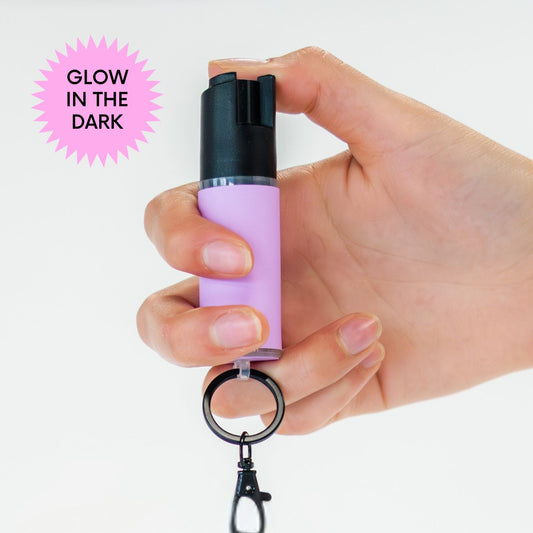
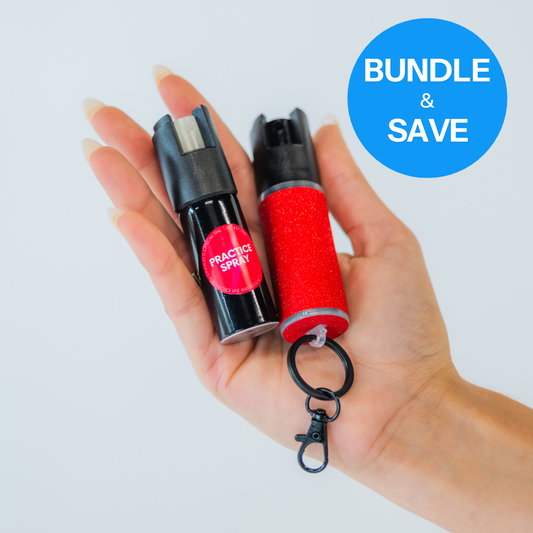
Pepper Spray or Practice Spray
For self-defense or safe training, depending on the canister installed.
SOS Button Powered by invisaWear
Connects to the invisaWear app and safety subscription for emergency alerts and support.
Alarm
A loud sound designed to draw attention.
Flashlight
A built-in light for added visibility.
Grip
Available with either a strap grip or knux-style grip, depending on your selected variant.
Attachment
Depending on your device, this may include a keychain or safety spike attachment.
Charging Cable
Used to recharge the flashlight and alarm features.
Before using your SOS Sidekick, take a few minutes to review how each feature works.
1. Set Up Your SOS Feature
The SOS feature is powered by invisaWear and must be connected through the invisaWear app before use.
Step 1: Activate your safety plan (link below for one month free)
Your SOS features will not work until your safety plan is activated. The SOS features require an active invisaWear subscription.
This may include features like emergency contact alerts, 24/7 access to ADT-assisted emergency support, and location sharing through the invisaWear app.
Visit this link to get your subscription with one month free.
Step 2: Download the invisaWear App
Download the invisaWear app from the Apple App Store or Google Play Store.
Step 4: Add Your SOS Sidekick
Inside the app, follow the setup instructions to connect your SOS Sidekick to your invisaWear account.
The SOS button is located on the front grip area of your device. It is the raised button with the invisaWear logo.
Step 5: Add Your Emergency Contacts
Add the people you would want notified if you activate your SOS button.
Make sure their contact information is correct and up to date.
Step 6: Test Your Setup in the App
Once paired, use the app’s setup or testing instructions to confirm your device is connected properly.
2. How to Use the SOS Button
The SOS button is the raised button on the front of your SOS Sidekick grip with the invisaWear logo.
When your device is connected to the invisaWear app and your safety plan is active, pressing the SOS button can trigger your selected emergency response features.
To Activate SOS
Follow the activation instructions provided inside the invisaWear app.
Your activation method may require a specific button press pattern to help prevent accidental alerts.
What Happens When SOS Is Activated
Depending on your invisaWear plan and app settings, activating SOS may notify your emergency contacts, share your location, and connect you with emergency support services.
Your phone must be connected and your invisaWear account must be properly set up for SOS features to work as intended.
Important SOS Notes
Keep your phone charged and nearby.
Make sure Bluetooth and location permissions are enabled if required by the invisaWear app.
Keep your emergency contacts updated.
Do not test the SOS feature by triggering a real alert unless you are instructed to do so through the app.
The SOS feature is powered by invisaWear, so app setup, subscriptions, and emergency response services are managed through invisaWear.
If you have questions, please reach out to us at team@livesafely.co and we will direct you to the correct support team.
3. How to Use the Pepper Spray
Your SOS Sidekick is designed to hold a compatible pepper spray or practice spray canister.
If your device includes pepper spray, it should only be used in situations where you reasonably believe you need to protect yourself.
To Access the Pepper Spray
Hold your SOS Sidekick firmly in your hand.
Point the pepper spray nozzle away from yourself and others unless you need to use it.
Locate the spray actuator at the top of the canister.
Flip or adjust the safety lock according to the canister design.
Press down on the actuator to spray.
For more detailed instructions and a demo video, click here.
Where to Aim
Aim for the face area of the threat, especially the eyes, nose, and mouth. Think ear to ear.
Use short bursts instead of one long spray.
Create distance as soon as you can.
Get to a safe location and call for help.
Pepper Spray Safety Tips
Do not test pepper spray indoors.
Do not point pepper spray at yourself or anyone else unless needed for self-defense.
Be aware of wind direction when spraying outdoors.
Keep away from children and pets.
Store in a cool, dry place.
Check the expiration date on your canister.
Pepper spray laws vary by state and location. It is your responsibility to understand and follow the laws where you carry and use it.
4. How to Use the Practice Spray
Practice Spray is filled with 100% water and is designed to help you learn how the spray feature works safely.
We highly recommend practicing before carrying pepper spray, especially if this is your first safety device. If you ordered your SOS Sidekick without a practice spray, you can still grab one here.
To Practice
After ensuring the safety lock is engaged, remove the pepper spray canister from your SOS Sidekick device.
Insert the practice spray into the device with the nozzle facing the forward arrow located at the top of the grip.
Go outside or to an open area.
Make sure you are pointing away from yourself, other people, pets, and anything you do not want to get wet.
Hold your SOS Sidekick the same way you would if you were carrying it.
Unlock the spray mechanism.
Press down on the actuator in short bursts.
Practice aiming, gripping, and creating distance.
For more information on how to practice using pepper spray, click here.
Why Practice Matters
Practicing helps you build muscle memory so you feel more confident using your device if you ever need it.
The goal is to feel prepared, not scared.
5. How to Use the Alarm
Your SOS Sidekick includes a loud built-in alarm designed to help draw attention.
The alarm is controlled by a pull-pin, connected to a wrist strap.
To Activate the Alarm
Pull the pull-pin out of the device.
The alarm will sound loudly when activated.
To Turn Off the Alarm
Reinsert the pull-pin into the device, or press and hold the flashlight button on the back of the device for 5 seconds.
When to Use the Alarm
Use the alarm if you want to draw attention, create a distraction, or alert people nearby.
The alarm is not connected to emergency services. To contact emergency help, use the SOS feature through invisaWear or call emergency services directly.
6. How to Use the Flashlight
Your SOS Sidekick includes a built-in flashlight for added visibility.
The flashlight is controlled by the button on the back of the device, not the SOS button.
To Turn On the Flashlight
Press the button once on the back of the device to turn on the light.
To Turn On the Strobe
Double click the button on the back of the device to start strobe mode.
To Turn Off the Flashlight or Strobe
Press the button once to turn off the light.
When to Use the Flashlight
Use the flashlight when walking to your car, unlocking your door, checking your surroundings, finding items in your bag, or adding visibility in low-light areas.
Important: The flashlight area is not designed to be water-resistant. Avoid exposing your device to heavy rain, water, or moisture.
7. Understanding the Two Buttons
Your SOS Sidekick has two different buttons with two different purposes.
SOS Button
- Located on the front grip area.
- Has the invisaWear logo.
- Used for SOS features through the invisaWear app.
- Requires app setup and an active invisaWear safety plan.
Original Sidekick Button
- Located on the device body.
- Controls the flashlight and alarm.
- Does not contact emergency services.
- Does not require the invisaWear app.
Knowing the difference between these two buttons is important before carrying your device.
8. How to Hold Your SOS Sidekick
Your grip may vary depending on the version you purchased.
Strap Grip
Slide your hand through the strap so the device feels secure in your palm.
Adjust your grip until you can comfortably reach the flashlight/alarm button, SOS button, and spray actuator.
The strap is designed to help keep the device secure while walking, running, or carrying it on the go.
Knux Grip
Place your fingers through the grip openings so the device rests securely over your fingers.
Make sure your hand feels comfortable and that you can reach the spray actuator and device buttons.
Do not force your fingers into the grip if it feels uncomfortable.
9. How to Charge Your SOS Sidekick
Your SOS Sidekick includes rechargeable flashlight and alarm features.
To Charge
Locate the charging port on your device.
Plug in the included charging cable.
Connect the cable to a compatible power source.
Allow the device to fully charge before regular use.
Charging Tips
Charge your device before your first use.
Recharge regularly if you use the flashlight or alarm often.
Avoid charging near water or moisture.
Do not use a damaged charging cable.
The pepper spray and practice spray do not require charging.
10. How to Replace the Spray Canister
Your SOS Sidekick is designed to work with compatible Safely spray canisters.
To Remove the Canister
Make sure the spray is locked.
Point the nozzle away from yourself and others.
Carefully remove the canister from the device according to the device design.
To Insert a New Canister
Make sure the nozzle is facing the correct direction.
Slide or place the canister securely into the device.
Check that it feels properly seated before carrying.
To replace your existing Safely pepper spray canister, click here.
Important Canister Notes
Do not use expired pepper spray. Check the expiration date located by the engraving at the top of the device.
Do not carry a damaged canister.
Do not modify the canister or device.
Only use compatible canisters designed for your device.
11. Care and Storage
To keep your SOS Sidekick in the best condition, follow these care guidelines.
Store in a cool, dry place.
Keep away from children and pets.
Avoid extreme heat, such as leaving the device in a hot car.
The device is water and sweat resistant. You should avoid exposure to water submersion, heavy rain, or excessive moisture.
Check your pepper spray expiration date regularly.
Keep the device clean and free from dirt, lint, or debris.
Do not take the device apart or attempt to modify it.
Do not paint, cover, or alter the SOS button, spray nozzle, alarm, flashlight, or grip.
12. What to Check Before Carrying
Before you carry your SOS Sidekick, we recommend doing a quick check.
Confirm your invisaWear app is set up.
Confirm your safety plan is active.
Confirm your emergency contacts are correct.
Confirm your phone is charged.
Confirm the device is paired properly.
Confirm your pepper spray or practice spray is inserted correctly.
Confirm the spray is not expired.
Confirm the flashlight works.
Confirm the alarm works.
Confirm you know which button is the SOS button and which button controls the flashlight and alarm.
A quick check can help you feel more confident before heading out.
13. What to Do If You Use Pepper Spray
If you use pepper spray in self-defense, your first priority is to get to safety.
Move away from the situation as quickly as possible.
Call emergency services if needed.
Avoid touching your face or eyes.
Wash your hands thoroughly.
Follow the first aid instructions on your pepper spray canister.
If pepper spray gets on your skin or in your eyes, move to fresh air and flush with cool water. Do not rub the affected area.
Seek medical attention if symptoms are severe or do not improve.
Practice Mode Using practice spray? It operates just like the pepper spray described above.
Need Assistance? If you have any questions or need help, please don't hesitate to contact us.
EXPLORE OUR LINEUP
-
SOS Sidekick
5.0 (7)Regular price From $99.95Regular priceUnit price per -
Pepper Spray + Keychain
4.9 (71)Regular price From $19.95Regular priceUnit price per -
Pepper + Practice Spray Bundle
5.0 (7)Regular price From $24.95Regular priceUnit price per